 Supergen
Storyboard to video
You already drew the moment. Make it move. Each panel becomes the first frame of a clip, with the line said out loud.
Animate a panel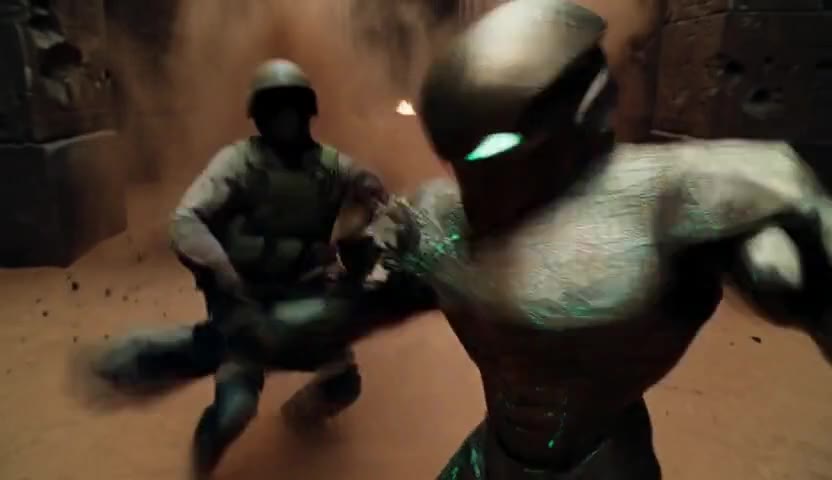
Panel in, scene out
Boards are already the plan. Supergen reads the plan one panel at a time: this frame, this motion, this line. The result is a clip that looks like the panel came alive, because it did.
How to do it
- Draw or generate your panels
A storyboard, a comic page, a character sheet. Any picture that shows the moment. - Add one panel as the first frame
The clip starts exactly there. Describe the motion and the line. - Make the next panel the next clip
Repeat panel by panel. Cut the clips together and your board is a scene.
Questions people ask
Can I turn a storyboard into a video?
Yes. Each panel becomes the first frame of a clip; you describe the motion and the line; the clips are cut together into the scene.
Does it keep my drawing style?
The video starts from your panel, so the look of the panel carries into the clip.
Can I turn a comic page into an animated episode?
Yes, panel by panel. Members with the Production feature can hand over a whole script and get the scenes in order.
What length should each panel be?
Most beats are 5 or 10 seconds. A long line or a slow moment can take 15 or 20.
Do I need to know how to prompt?
No. You describe the scene the way you would tell a friend, and you write the line a character says. Supergen turns that into the shot.
Is there a watermark?
Members download their videos clean, with no watermark.
Who owns the video?
You do. Your work is yours. We do not sell your videos or your data.
How long can a video be?
Each clip is 5 to 20 seconds. Longer stories are made as a sequence of clips.
What does it cost?
Credits, pay as you go. Packs start at $29. See the pricing page for exactly what each pack makes.